






How to installation Windows 10/11?
Warning: This installation will format your hard disk.Please back up important files in the hard disk in advance!
If you use a third-party PE system or system migration/clone may not boot. We recommend using Microsoft's ISO or QOOBE ISO for direct installation.
QOOBE Windows OS(Pre-installed driver)
This installation method will automatically format the hard disk directly. It is recommended that you connect to a single empty hard disk for installation to avoid file loss!
1. When formatting the usb flash drive, name it NTFS mode;
2. Unzip the system files to the usb flash drive;
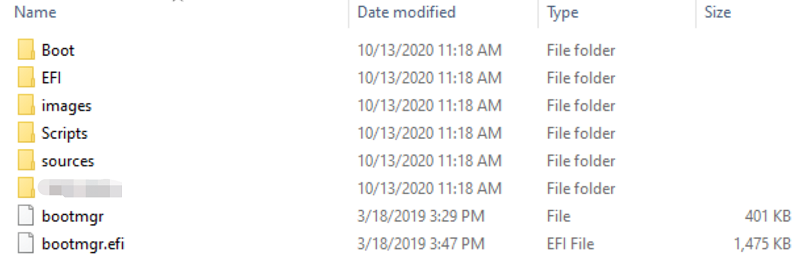
3. After booting, press F7 to select usb flash drive boot;
4. Automatically start writing to the system, please wait for the progress bar to reach 100%, and then when the host restarts naturally, immediately pull out the usb flash drive to avoid repeated writing...
Note: The barebones system does not contain an activation code, which needs to be activated by the user.
The original system download link: https://www.metaverpivot.com/support, select the page of your model to download.
PS: When installing the latest version of win11, I encountered the problem of not being able to skip the network connection: You can press the [Shift+F10] shortcut key to call out the command prompt window, and then enter : [oobe\BypassNRO.cmd],
after restarting, there will be a click button to [skip the network] connection up. Then please use another computer with internet access to download and install the driver.

Support
About us
Copyright 2026 METAVERPIVOT CO., LTD All rights reserved