






How to install the driver without exe and bat files?
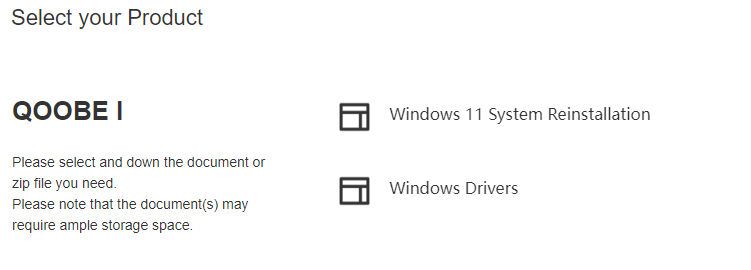
1.Download the driver from the support
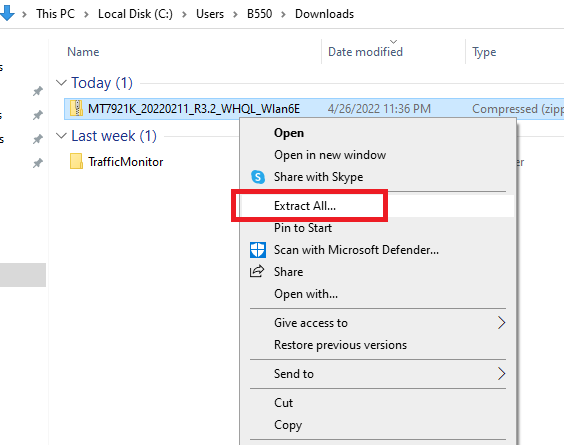
2.Extract the driver you have downloaded.
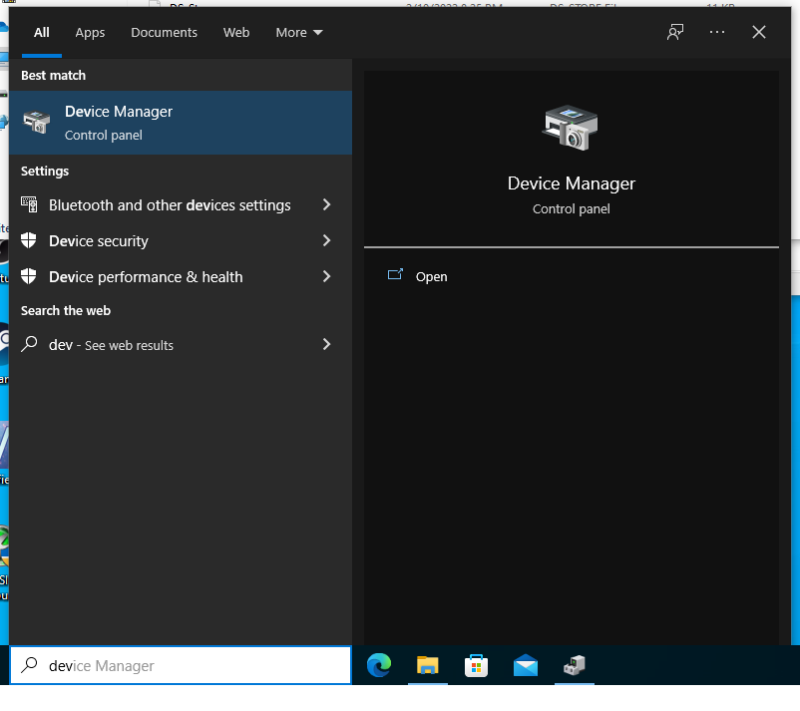
3.Search and open: Device Manager
4.Right click on the faulty driver
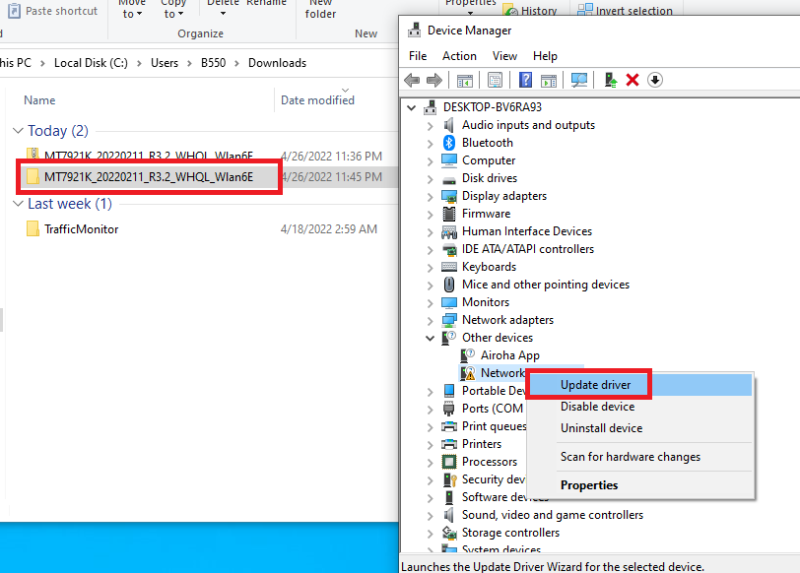
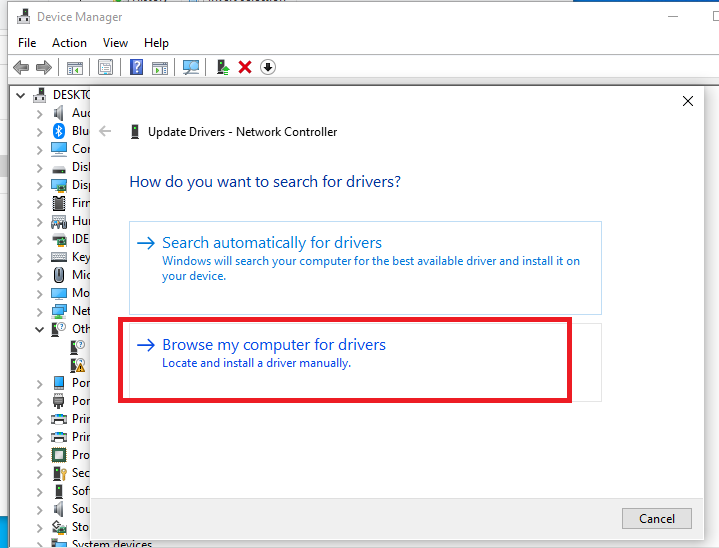
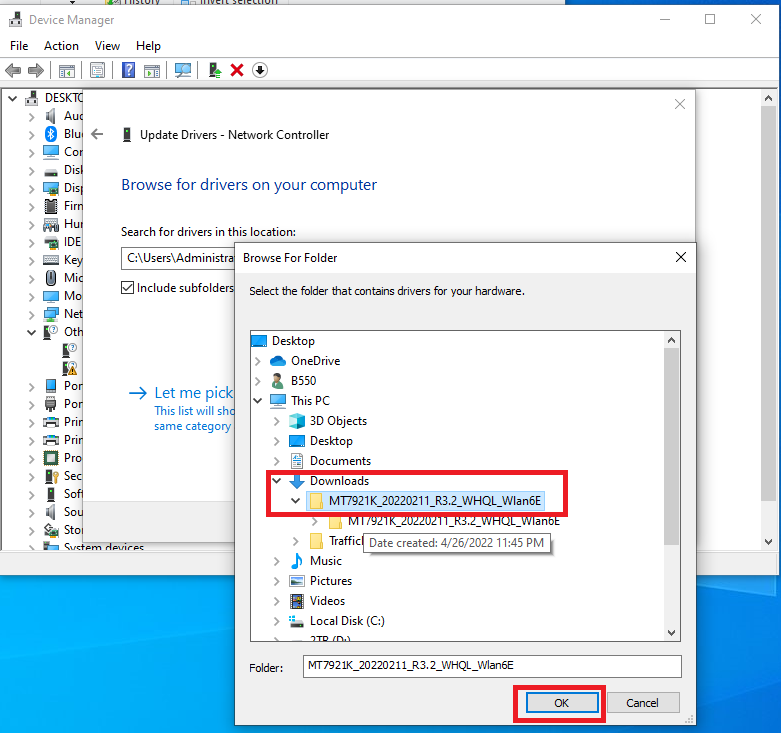
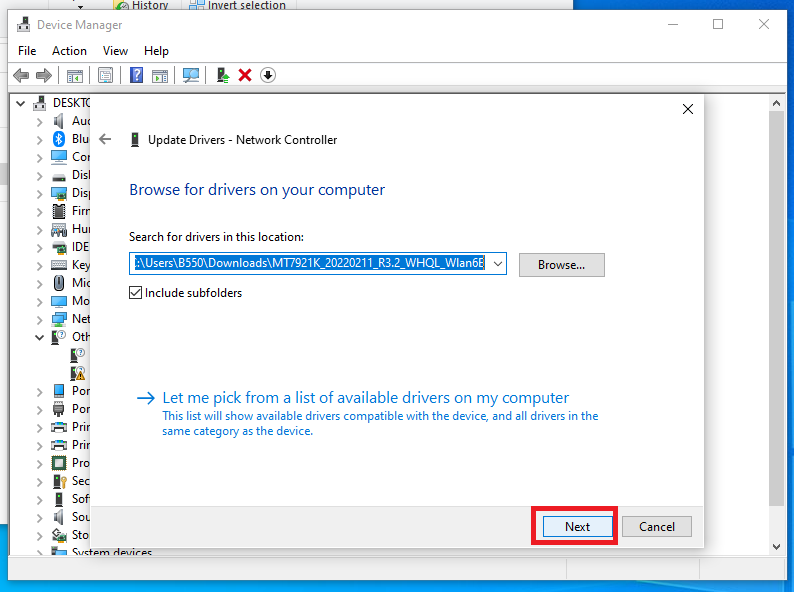
5.Click Browse, find the downloaded driver in the pop-up window, click OK, click Next
6.If you see the picture as shown below, the driver has been installed successfully.
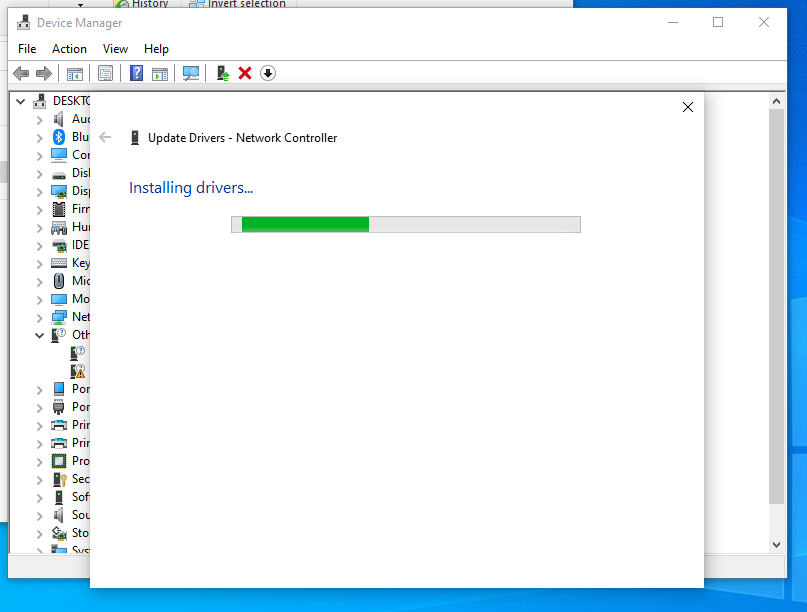
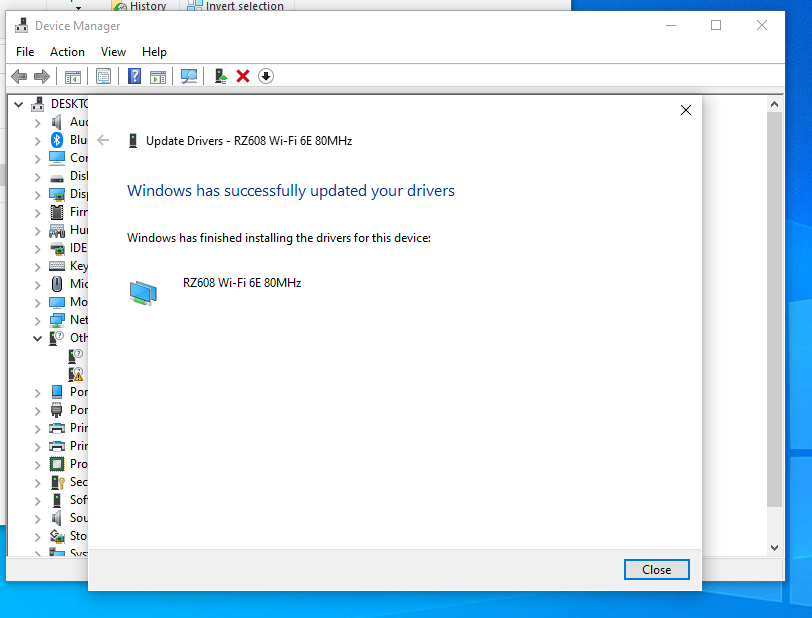
Done! After all error messages in Device Manager are gone, it means all drivers are installed.

Support
About us
Copyright 2026 METAVERPIVOT CO., LTD All rights reserved